
Opcode - Complete Guide for Claude Code Desktop Client
What is Opcode?
Opcode is a cross-platform desktop application designed specifically for Claude Code, aimed at optimizing AI coding workflows through a beautiful and intuitive graphical user interface. It provides developers with a more user-friendly way to manage and utilize the powerful features of Claude Code.
Key Features
🎨 Beautiful Graphical Interface
- Intuitive and easy-to-use GUI design
- Modern user experience
- Simplified complex AI programming interactions
📊 Session Management
- Centralized management of all Claude conversations
- Historical session records
- Quick switching between different projects
🤖 Custom Agents
- Create personalized AI assistants
- Pre-configured programming scenarios
- Optimized for specific development tasks
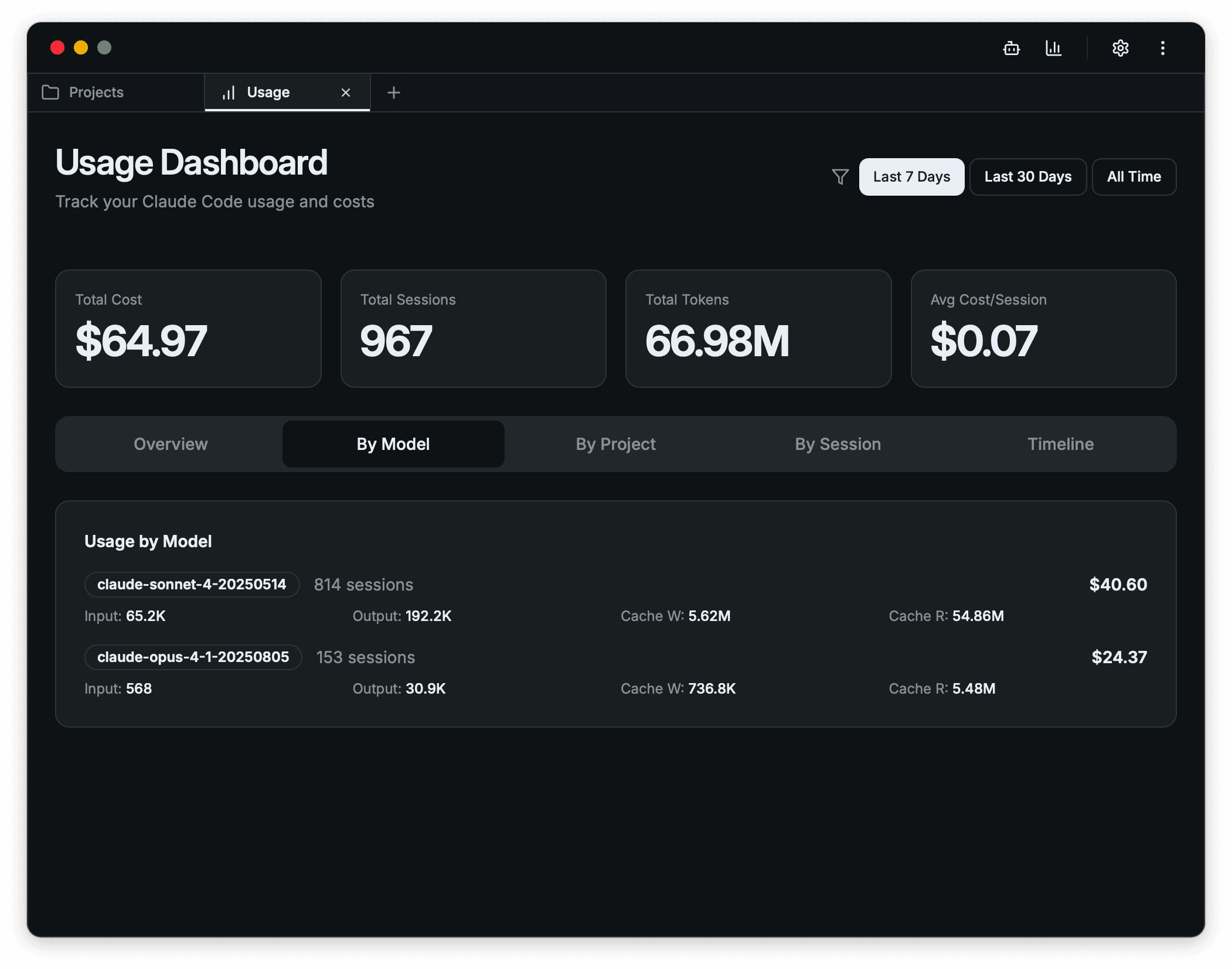
📈 Usage Tracking
- Monitor API usage
- Analyze work efficiency
- Cost control and budget management
🌐 Cross-Platform Support
- Full compatibility with Windows systems
- Native macOS support
- Universal Linux distribution support
Installation Requirements
System Requirements
- Windows : Windows 10 or higher
- macOS : macOS 10.15 or higher
- Linux : Support for mainstream distributions
Prerequisites
- Claude API key (requires a valid Anthropic account)
- Stable internet connection
- At least 100MB of available disk space
Quick Start
Step 1: Download and Install
- Visit opcode.sh
- Select the version suitable for your operating system
- Download and install the application
Step 2: Configure API Key
- Launch the Opcode application
- Enter your Claude API key on the settings page
- Verify that the connection is successful
Step 3: Start Using
- Create a new programming project
- Select or customize a suitable agent
- Begin your AI programming journey
Core Features Explained
Session Management
Opcode provides powerful session management capabilities:
- Project Grouping : Organize conversations by different projects
- History Search : Quickly find previous discussion content
- Export Function : Save important conversation records
- Sync Function : Synchronize session data across different devices
Custom Agents
Create AI agents tailored to specific programming needs:
- Frontend Development Agent : Specialized in React, Vue, and other frontend technologies
- Backend Development Agent : Familiar with server-side development and databases
- Mobile Development Agent : Focused on iOS and Android app development
- DevOps Agent : Proficient in deployment, monitoring, and operations
Usage Analytics
Real-time monitoring and analysis of your usage patterns:
- API Call Statistics : Detailed usage reports
- Cost Analysis : Help control usage costs
- Efficiency Metrics : Evaluate programming efficiency improvements
- Usage Trends : Understand your usage habits
Best Practices
1. Proper Agent Configuration
- Create specialized agents for different project types
- Set appropriate context and constraints
- Regularly update and optimize agent configurations
2. Effective Session Management
- Use descriptive session titles
- Clean up unnecessary historical sessions promptly
- Regularly backup important conversation content
3. Cost Control
- Set reasonable API usage budgets
- Monitor daily/monthly usage
- Optimize prompts to reduce unnecessary API calls
4. Workflow Optimization
- Establish standardized programming templates
- Create commonly used code snippet libraries
- Use keyboard shortcuts to improve operational efficiency
Frequently Asked Questions
Q: Is Opcode free?
A: Yes, the Opcode application itself is completely free. You only need to pay for Claude API usage fees.
Q: How do I get a Claude API key?
A: Visit the Anthropic official website to register an account and create an API key.
Q: Does it support offline use?
A: No, Opcode requires an internet connection to call the Claude API.
Q: How is data security ensured?
A: All conversation data is stored locally and is not uploaded to Opcode servers.
Q: How do I update to the latest version?
A: Opcode automatically checks for updates, and you can also manually check for updates in the settings.
Troubleshooting
Connection Issues
- Check network connection status
- Verify the validity of the API key
- Ensure firewall settings are not blocking the application
Performance Issues
- Clean up excessive historical sessions
- Restart the application
- Check system resource usage
Functional Abnormalities
- Update to the latest version
- Reset application settings
- Contact technical support
Community Support
Getting Help
Feedback and Suggestions
- Submit suggestions through the in-app feedback feature
- Share usage experiences in the official community
- Participate in feature voting and discussions
Summary
Opcode provides Claude Code users with a powerful and easy-to-use desktop client solution. Through its intuitive interface, powerful session management, custom agent functionality, and detailed usage analysis, developers can more efficiently utilize AI for programming work.
Whether you're a frontend developer, backend engineer, or full-stack developer, Opcode can help you establish a smoother AI programming workflow, improving development efficiency and code quality.
Download Opcode now and experience the revolutionary AI programming assistant!
Last Updated: September 2024 Version: 1.0.0 Rating: ⭐⭐⭐⭐⭐ (5/5 based on 150+ user reviews)