
Say Goodbye to Complex Configuration! Claude-Code Helper with 11.7k Stars, Pre-built 500+ Agents and MCP Components
Original article: https://mp.weixin.qq.com/s/3QkpRoQQEbx06EwVIu79XQ
Original by 六一 智猩猩AI 2025-11-28 10:39
Compiled by 智猩猩AI
Editor: 六一
Among all AI programming assistants, Claude Code's capabilities are unquestionable. However, to truly put it into daily use, the initialization work of configuring Agents from scratch, setting up various commands, and integrating MCP servers remains an unavoidable and quite time-consuming preparation process.
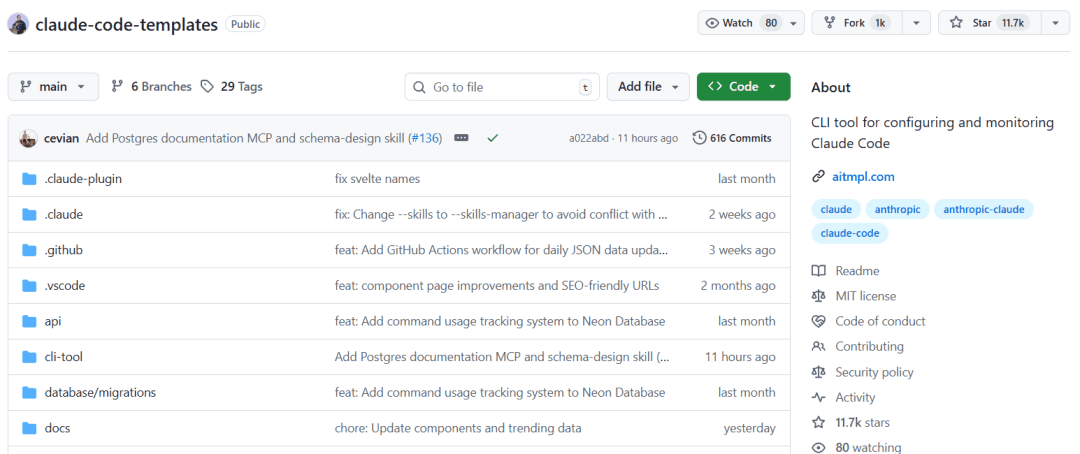
The Claude-Code-Templates project introduced today was created precisely for this purpose. It has already gained 11.7k stars on GitHub, providing a powerful out-of-the-box component library containing 500+ pre-configured Agents, Commands, hook scripts, and popular Claude Skills. Developers can quickly set up their development environment without repetitive configuration, allowing them to focus entirely on implementing business logic.
- Project Link:
https://github.com/davila7/claude-code-templates
01
Project Introduction
The Claude-Code-Templates project is an out-of-the-box configuration collection for Claude Code. It provides a complete resource library covering AI agents, custom commands, parameter settings, hook scripts, external integrations (MCP), and Skills to help developers improve work efficiency.
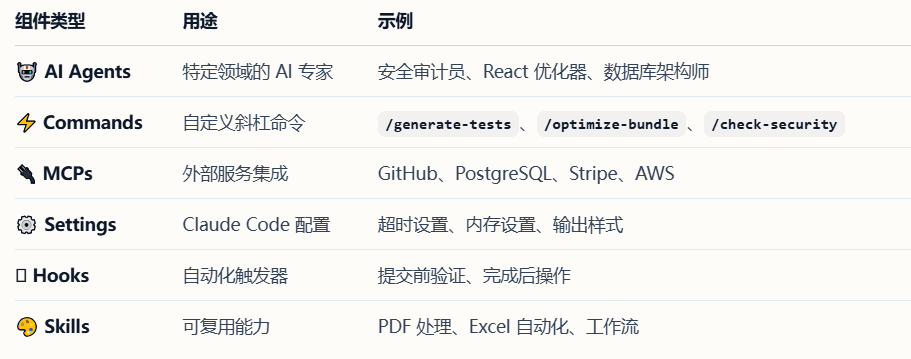
In addition to the above resources, Claude-Code-Templates also includes powerful development tools:
Analytics Dashboard: Real-time monitoring of Claude Code sessions.
Conversation Monitor: Interface for viewing Claude responses in real-time, with support for secure remote access.
Health Check: Comprehensive system diagnostics.
Plugin Dashboard: Unified interface for managing plugins and permissions.
The project comes with a visual website that categorizes all resources in detail.
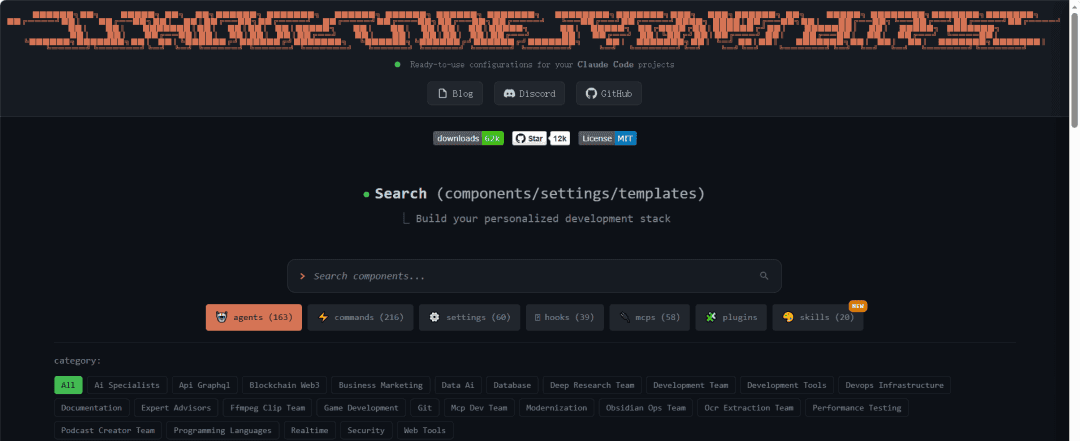
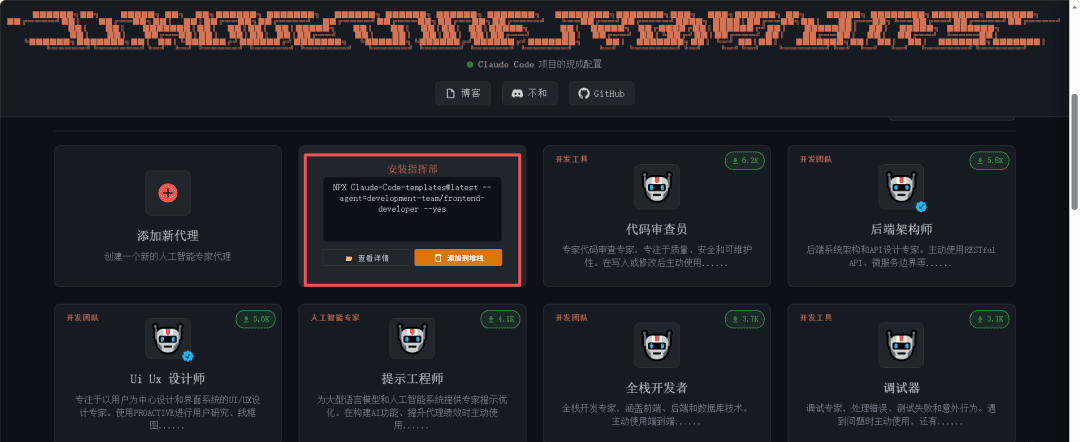
For components you want to use, you can directly copy the relevant commands for later execution, or view their detailed information.
02
How to Use
Since all project components are managed via npx, make sure Node.js is installed before use.
The usage is very simple - just navigate to your project directory and run a single command in the terminal. For example:
# Run interactive installer (recommended)
npx claude-code-templates@latest
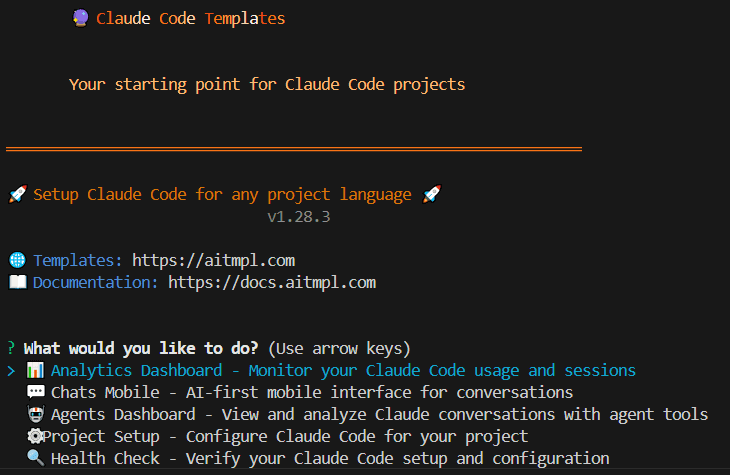
This command provides an interactive interface where you can use keyboard navigation to select the desired operation.
Alternatively, you can directly install specific components:
# Install complete development components
npx claude-code-templates@latest --agent development-team/frontend-developer --command testing/generate-tests --mcp development/github-integration --yes

# Install specific function components
npx claude-code-templates@latest --agent development-tools/code-reviewer --yes
npx claude-code-templates@latest --command performance/optimize-bundle --yes
npx claude-code-templates@latest --setting performance/mcp-timeouts --yes
npx claude-code-templates@latest --hook git/pre-commit-validation --yes
npx claude-code-templates@latest --mcp database/postgresql-integration --yes
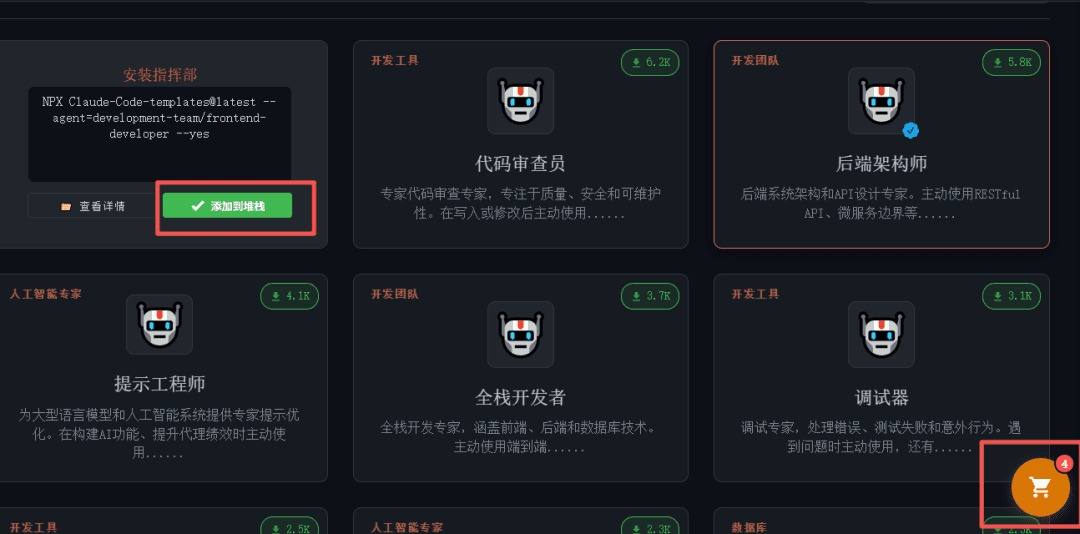
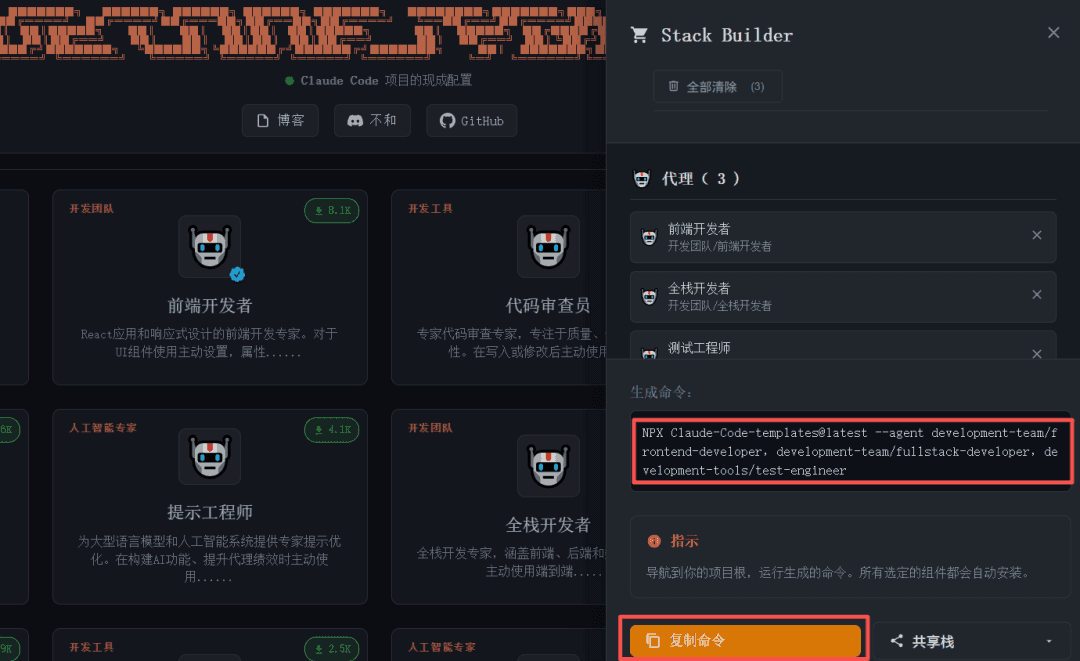
Pro tip: You can add the components you want to install to a shopping cart on the visual website, then copy the generated command for one-click installation - very convenient.
03
Summary
Claude-Code-Templates is not just a "one-click configuration tool" - it's a collection of verified best practices. The configuration process that previously required repeatedly consulting documentation and manual debugging can now be completed with high quality in just minutes, completely freeing developers' valuable time and energy from environment setup to focus entirely on creative coding work. Whether you're a new Claude Code user hoping for a smooth start, or an experienced developer seeking further efficiency improvements, this project is worth trying immediately.
END