
Can Gemini CLI with Gemini 3 Pro Replace Claude Code?
Original article: https://mp.weixin.qq.com/s/3pXeZpVcbrwFs2Jn_Egpkw
Original by Lu Gong AI Programming Lab 2025-11-24 17:50
Hello everyone, I'm Lu Gong.
Last week, Gemini 3 made a strong debut, arguably the world's most powerful LLM, alongside the simultaneous release of the most powerful image model Nano Banana Pro. The AI community was thoroughly impressed by Google's AI capabilities.
In the AI programming and Vibe Coding space, Google now has a complete product lineup powered by its Gemini models:
- CLI: Gemini CLI
- IDE: Antigravity
- SaaS: AI Studio Build
That's the full package. Besides Antigravity which launched alongside Gemini 3, Gemini CLI was actually released back in the summer. However, limited by model capabilities and CLI Agent product design, it has never been developers' first choice.
Even before Gemini 3's release, I was particularly eager to see what surprises Gemini CLI would bring when powered by Gemini 3. Especially compared to Claude Code, I was curious about Gemini's real-world performance in actual projects.
How to Access Gemini 3 Pro in Gemini CLI
To access the Gemini 3 Pro model in Gemini CLI, Google's official rules are as follows: Google AI Ultra subscribers can use Gemini 3 directly (or you can pay per API usage, but I doubt anyone would do that). For Pro and free users, you need to apply to join the waitlist:
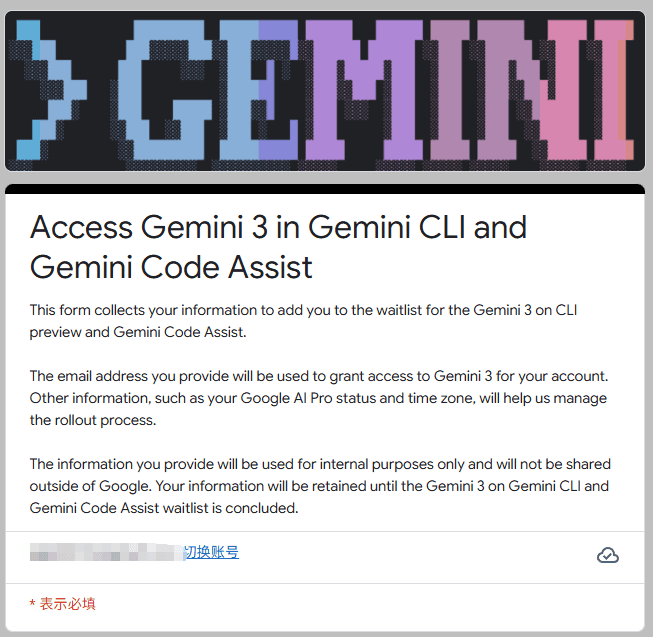
Application link:
https://docs.google.com/forms/d/e/1FAIpQLScQBMmnXxIYDnZhPtTP3xr5IwHNzKW4nLomuQ1tGOO-UldMdQ/viewform
Based on feedback from X, Pro user applications are being prioritized. Free users may need to wait a bit longer. Regardless, I recommend applying first.
After applying, expect results in about 3-5 days. You'll need to verify yourself in Gemini CLI - Google won't send any notifications.
Configuration Steps
First, upgrade Gemini CLI to the latest version:
bash
npm install -g @google/gemini-cli@latest
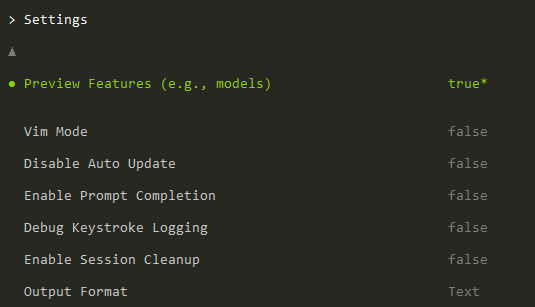
Then enter the slash command /settings in the terminal and set Preview features to true:
Next, enter the /model command and set the model option to Pro (including gemini-3-pro-preview and gemini-2.5-pro):
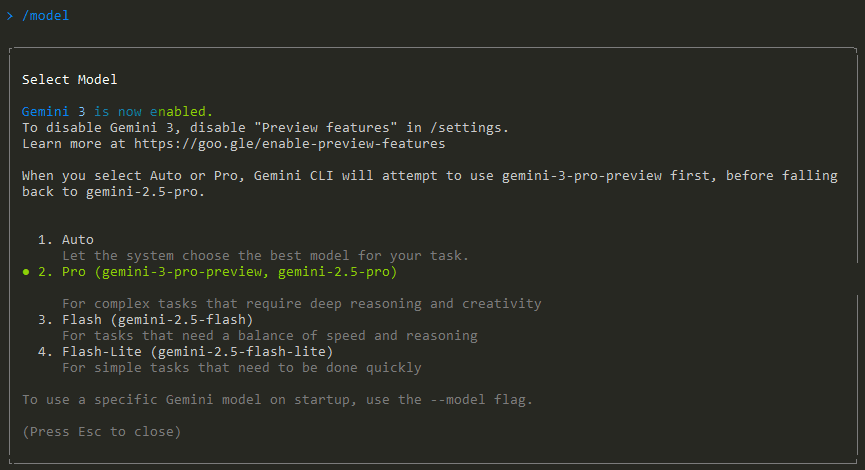
Now you can test Gemini CLI with any question. If you don't have access to Gemini-3-Pro, the system will notify you and automatically fall back to Gemini-2.5-Pro. If there's no notification and the conversation proceeds normally, congratulations - you've got Gemini 3 access.
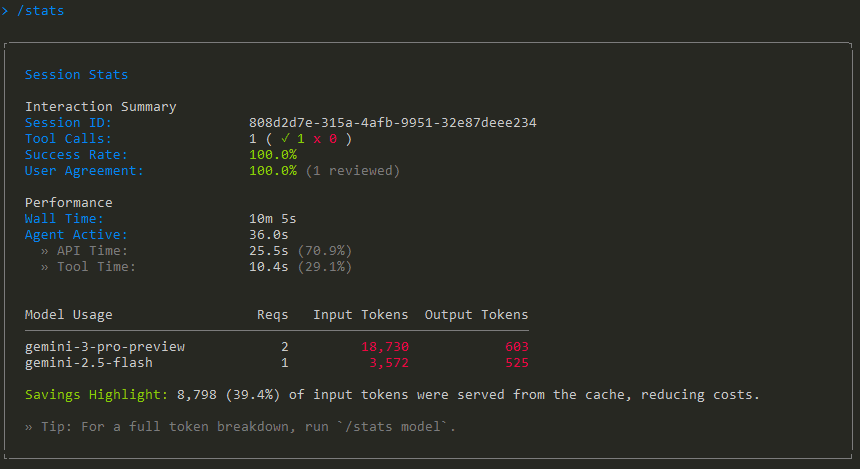
Now you can enjoy Vibe Coding with Gemini CLI!
Using Nano Banana Pro for Image Generation
The Nano Banana Pro model has been trending recently, and we can use it in Gemini CLI too.
First, install the Nano Banana Gemini extension:
bash
gemini extensions install https://github.com/gemini-cli-extensions/nanobanana
Then configure the environment variables in the global .env file:
NANOBANANA_GEMINI_API_KEY=your-gemini-api-key
NANOBANANA_MODEL=gemini-3-pro-image-preview
Restart Gemini CLI for changes to take effect. Then use /generate or /edit commands to generate images with Nano Banana Pro.
bash
/generate "a watercolor painting of a fox in a snowy forest"
/edit my_photo.png "add sunglasses to the person"
Real-World Testing Results
I tested another project, but Gemini kept throwing API Error: Premature close. It was practically unusable for slightly complex projects. I'm not sure if it's a network issue or CLI instability.
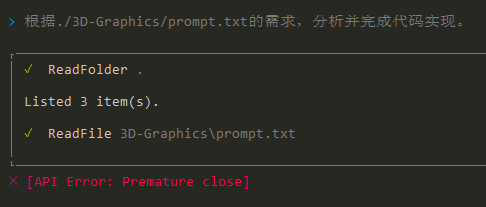
So, for Gemini CLI to reach Claude Code's level as a stable productivity tool, it still needs some optimization time.
Thank you for reading my article. I'm Lu Gong, an 8-year AI algorithm veteran and full-stack AI developer, deeply focused on AI programming. Feel free to follow me, and interested friends can add me on WeChat (louwill_) to connect.

Author: Lu Gong